
Products >> SRT Server
SRT Server - Low-Latency Engine for RTMP, RTSP & Camera Streams
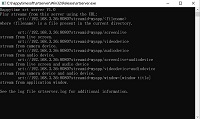

Happytime SRT Server is a streaming server designed for real-time media transmission. Whether it is local media files, live screens, application windows, or real-time audio and video sources such as cameras and microphones, SRT Server can easily handle them and transmit them efficiently through the SRT protocol.
Happytime SRT Server has a wide range of application prospects in the field of real-time media transmission with its low latency, high performance, cross-platform support, and rich media source and protocol compatibility.

Support variety of audio and video files
Support streaming from camera, screen and application windows
Support RTSP / RTMP stream to SRT stream
Support media proxy on-demand connection
Support RTSP / RTMP/ SRT relay
Low latency srt server with H265 and IPv6 support






Key Features of SRT Server
✅ Ultra-Low Latency: Sub-second latency over LAN (<100ms), <1s over public internet.
✅ Protocol Conversion: Convert RTMP or RTSP streams to SRT in real time.
✅ Multi-Source Input: Stream from cameras, screens, media files,
microphones.
✅ Media Proxy & Relay: On-demand connection, SRT relay, RTMP/RTSP proxy.
✅ H.265 & H.264 Support: Full support for HEVC, H.264, AAC codecs.
✅ Cross-Platform: Runs on Windows, Linux, macOS, Android, iOS, embedded systems.
✅ IPv6 &
Secure Transport: Full IPv6 support and encrypted SRT streams.
✅ C/C++ Engine: Lightweight, high-performance, stable codebase.
How to Push to SRT Server?
Happytime SRT server supports SRT pusher
The format of the push stream as the following:
srt://[serverip]:[serverport]?streamid=[application-name]/[stream],m=publish
[application-name] is the [name] node under [application] in the configuration file
[stream] can be any string, such as:
srt://192.168.1.100?streamid=myapp/live,m=publish
srt://192.168.1.100?streamid=myapp/test,m=publish
SRT features
Secure Reliable Transport (SRT) is a transport protocol for ultra low (sub-second) latency live video and audio streaming. SRT is applied to contribution and distribution endpoints as part of a video stream
workflow to deliver the best quality and lowest latency video at all times.
In live streaming configurations, the SRT protocol maintains a constant end-to-end latency. This allows the live stream’s signal characteristics
to be recreated on the receiver side, reducing the need for buffering. As packets are streamed from source to destination, SRT detects and adapts to real-time network conditions between the two endpoints. It helps compensate
for jitter and bandwidth fluctuations due to congestion over noisy networks.
Use Cases & Applications
Live Contribution: Send camera feeds from remote locations to production studio.
Video Surveillance: Convert RTSP camera streams to SRT for secure, low-latency viewing.
Enterprise Communication: Stream desktops or meetings with sub-second latency.
Media Distribution: Act as an SRT gateway in a large-scale streaming architecture.
Hybrid Events: Stream from on-site to cloud with reliable transport.
Frequently Asked Questions (FAQ)
What is an SRT server?
An SRT server receives or relays Secure Reliable Transport (SRT) streams for low-latency, secure video transmission over the internet. Happytime SRT Server supports RTMP/RTSP input and H.265 encoding.
Can it convert RTMP to SRT?
Yes. Built-in media proxy converts RTMP or RTSP streams to SRT in real time.
Does it support H.265/HEVC?
Yes. Full support for H.265, H.264, and AAC codecs.
What latency can I expect?
End-to-end latency is < 200ms over LAN and < 1 second over public internet.
Is it free?
A full-featured trial is free with up to 4 concurrent streams.
What platforms does it run on?
Windows, Linux, macOS, Android, iOS, and embedded Linux. Supports cross-compilation.
How do I configure the stream ID?
The [app-name] comes from the config file. [stream] can be any string, e.g., 'live' or 'test'.