
Products >> RTMP Server
RTMP Server - Low-Latency RTMP Server for Live Streaming & Media Relay
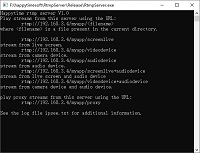


Happytime RTMP Server is developed based on C/C++, its cross-platform feature enables RTMP Server to run on multiple platforms such as Linux, Windows, Mac, iOS, Android, and embedded Linux. This strong compatibility enables RTMP Server to be widely used in various scenarios to meet the needs of different users.
Happytime RTMP Server is known for its high performance and lightweight design. It uses optimized code structure and algorithms to achieve low-latency audio and video transmission. Whether in online education, entertainment live streaming, enterprise meetings, or video surveillance, RTMP Server can provide clear and smooth audio and video experience.

Support a variety of audio and video files
Support streaming video from camera and live screen
Support RTSP / SRT stream to RTMP stream
Support media proxy on-demand connection
Support RTSP / RTMP / SRT relay
Low latency rtmp server with IPv6 support







Key Features of RTMP Server
✅ Low Latency Streaming: Optimized C/C++ code for real-time performance.
✅ Multi-Source Input: Stream from cameras, screens, microphones, or media files.
✅ Protocol Conversion: Convert RTSP or SRT streams to RTMP in real time.
✅ Media
Proxy: Relay RTMP, RTSP, SRT streams with on-demand connection.
✅ OBS Ready: Plug-and-play with OBS Studio – enter server URL and stream key.
✅ H.265 & H.264 Support: Full support for H.265/HEVC, H.264, AAC, G.711.
✅ Cross-Platform: Runs on
Windows, Linux, macOS, Android, iOS, embedded systems.
✅ IPv6 & HTTP Notify: Full IPv6 support and webhook callbacks for events.
Use Cases & Applications
Live Streaming: Receive OBS streams for private or internal broadcasts.
Online Education: Host live classrooms with low-latency video.
Video Surveillance: Convert RTSP camera streams to RTMP for web players.
Enterprise Meetings: Stream desktops or meetings to internal clients.
Media Distribution: Act as a relay node in a large-scale streaming architecture.
How to Push to RTMP Server?
Happytime RTMP server supports RTMP pusher
The format of the push stream as the following:
rtmp://ip:port/[application-name]/[stream]
[application-name] is the [name] node under [application] in the configuration file
[stream] can be any string, such
as:
rtmp://192.168.1.100/[application-name]/mystream
rtmp://192.168.1.100/[application-name]/test
Technical specifications of RTMP Server
Development language: C/C++
Video codec support: H264, H265
Audio codec support: AAC, G711A, G711U
Transmission protocol: RTMP
Platform support: Linux, Windows, Mac, iOS, Android, embedded Linux
Functional features: media proxy, RTMP stream relay, push
support, audio and video output parameter configuration
Frequently Asked Questions (FAQ)
What is an RTMP server?
An RTMP server receives live video/audio streams (e.g., from OBS, cameras) and distributes them via RTMP. Happytime RTMP Server is lightweight, low-latency, and supports RTSP/SRT conversion.
Does it support H.265/HEVC?
Yes. Full support for H.265, H.264, AAC, and G.711 codecs.
Can I use it with OBS?
Yes. Set custom server to rtmp://your-ip:1935/[app-name], any stream key.
Can it convert RTSP to RTMP?
Yes. Built-in media proxy converts RTSP or SRT streams to RTMP in real time.
Is it free?
A free demo supports 4 concurrent streams. Full version supports up to 100.
What platforms does it run on?
Windows, Linux, macOS, Android, iOS, and embedded Linux. Supports cross-compilation.
How do I set up the application name?
The [app-name] is defined in the server config file. Default is 'myapp'.